Many small business owners assume cybercriminals focus on large corporations with deep pockets. While big companies certainly get attention, the reality is that small businesses are among the most common targets of ransomware attacks.
Why?
Many small business owners assume cybercriminals focus on large corporations with deep pockets. While big companies certainly get attention, the reality is that small businesses are among the most common targets of ransomware attacks.
Why?
Microsoft has made significant security improvements to Microsoft 365 over the past several years. The challenge for many small businesses is that these improvements often apply only to newly created Microsoft 365 environments.
If your Microsoft 365 tenant was set up several years ago, configured by a previous IT provider, or simply hasn't been reviewed recently, you may still be operating with legacy settings that could expose your business to unnecessary security risks.
Cyber insurance renewals have become more challenging for small businesses in recent years. If your renewal application seems longer and more detailed than it did a few years ago, you're not imagining it.
Insurance carriers have added new questions about backups, multifactor authentication (MFA), cybersecurity monitoring, vendor security, and wire transfer procedures. These questions are designed to evaluate whether a small business has the safeguards needed to reduce cyber risk and recover quickly from an attack.
Microsoft 365 Copilot is one of the most powerful productivity tools available to small businesses today. It can summarize emails, search across company files, generate reports, answer questions, and help employees work faster.
But before a small business rolls out Copilot, there's something important to understand:
For many small businesses, employee offboarding feels like a stressful scramble. Access needs to be removed, equipment collected, client relationships reassigned, and company information secured. When the process takes days—or even weeks—it's easy to blame the employee's departure.
In reality, most offboarding problems begin long before an employee submits their resignation. They start during onboarding.
Article Summary:
Most small businesses do a good job of removing email access when an employee leaves—but often miss all the other tools that person was using. “Zombie accounts” are leftover logins, permissions, and sessions that stay active after someone leaves or changes roles. A simple SaaS audit helps small businesses find these hidden risks and shut them down before they turn into a security problem.
Someone leaves your small business on a Friday. By Monday, their email account is disabled, and their laptop is returned.
Most small businesses don’t suffer security incidents because they “have no security.”
They get breached because one stolen password ends up unlocking far more than it should.
That’s the weakness of the old castle‑and‑moat security model. Once someone gets past the perimeter—usually through a compromised login—they can often move through systems, apps, and data with very few additional checks.
If you want to find unsanctioned cloud apps in a small business, don’t start by writing a policy. Start by looking at everyday browser activity.
Most small businesses don’t operate in a clean, perfectly designed cloud environment. They operate in the one that evolved naturally—built through small shortcuts and quick fixes:
At home, security problems don’t look dramatic.
They look like stepping away from a laptop during a delivery, or leaving it unlocked while grabbing something from another room.
Those normal, everyday moments are how company laptops quietly become exposed over time.
Device storage determines how many applications, photos, and files you can retain on your device. When you run out of storage, it can affect your productivity and device performance. However, finding the right storage amount isn’t always easy.
Mobile applications have become an integral part of our lives, including for small businesses. We use them to browse the internet, network, communicate, and much more. However, they also expose us to risks from fraudsters who may steal information or damage our phones.
We rely on our devices every day, so they need to perform well to meet our needs. A device that’s slow or broken can be inconvenient and affect productivity for day-to-day tasks. However, buying a brand new phone or laptop isn’t always the best option for small businesses. Here are eight things you should consider before purchasing a used device.
8 Things to Consider Before Buying Used Technology for Small Businesses
Passwords are the keys to our digital world. We use them for everything from email to bank accounts. But keeping track of all these passwords can be tough. That's where password managers come in—they help keep our accounts secure and make our lives easier.
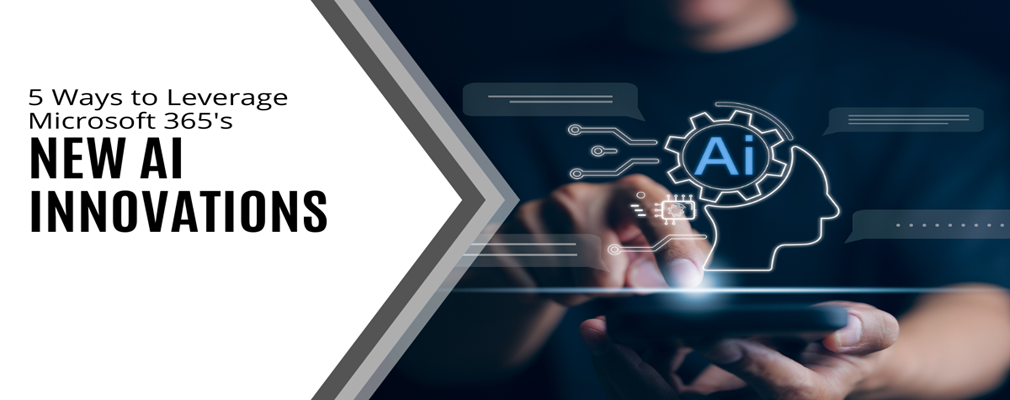
Microsoft 365 boasts an impressive array of cloud-based productivity tools designed to enhance efficiency and effectiveness in your work. Microsoft has been a pioneer in innovation, with M365, initially introduced as Office 365 in 2013, leading the charge as one of the earliest all-in-one cloud solutions. Today, Microsoft continues to push boundaries with its cutting-edge generative AI technology.
Within the Microsoft 365 ecosystem, numerous AI innovations have been integrated into familiar tools such as Word, Excel, PowerPoint, Teams, and more. These intelligent features, if utilized effectively, can greatly enhance your productivity and overall experience.
For a long time, cybersecurity has predominantly focused on protecting businesses, with frequent mentions of attacks on enterprises and incidents of personal data theft through phishing schemes. However, it's crucial to recognize that gamers are increasingly vulnerable to targeted cyber threats.
As cyberattacks persist and evolve, gamers have emerged as prime targets for hackers. With the gaming industry expanding rapidly and more users immersing themselves in virtual environments, the risks associated with cyber threats have escalated. In fact, cyberattacks on young gamers surged by 57% in 2022, particularly affecting those playing popular games like Minecraft, Roblox, and Fortnite on their parents' devices, which are rich targets for hackers.
In today's dynamic digital landscape, small businesses are presented with a wealth of opportunities. Many of these opportunities involve harnessing technology to gain a competitive edge. Embracing the right technological trends can empower businesses to streamline their operations, elevate customer experiences, and propel growth. However, navigating the multitude of available options can be perplexing. Small businesses must carefully select the path that promises the greatest returns.
In this article, we will delve into five prominent technological trends that hold immense potential for driving success and propelling small businesses forward in an increasingly competitive market.
Cybersecurity threats are on the rise, with ransomware attacks jumping by 93% in 2022. The advent of ChatGPT has the potential to increase the damage caused by cyber-attacks. Safeguarding sensitive data and systems requires a comprehensive approach that goes beyond relying on a single security solution. This is where adopting a defense-in-depth cybersecurity strategy becomes crucial.
In simple terms, a defense-in-depth approach means implementing multiple layers of protection for your technology, similar to securing your home with locks, security cameras, and an alarm system. This strategy combines various security measures to create a formidable defense against cyber attackers. Some of these defenses include firewalls, antivirus software, strong passwords, encryption, employee training, access management, and endpoint security. The approach also emphasizes early detection and rapid response by utilizing tools that can promptly detect suspicious activities and enable quick action to mitigate potential damage.
Remote work has witnessed a surge in popularity, offering employees greater flexibility and convenience while helping employers reduce office costs. Many also attest to the productivity benefits stemming from fewer distractions. Research indicates a remarkable 56% decrease in unproductive time when working from home compared to the office. However, there are certain drawbacks to remote work that necessitate awareness of the cybersecurity risks that come with it. Monitoring device and network security becomes less straightforward, resulting in about 63% of businesses experiencing data breaches due to remote employees.
Nevertheless, this news does not imply that one must compromise security to enjoy the benefits of remote working. Striking a balance is possible by being conscious of cybersecurity concerns and taking appropriate measures to address them.
In today's digital era, cybersecurity threats are constantly evolving, presenting significant risks to both individuals and small businesses. One particularly concerning threat gaining traction is zero-click malware, a type of insidious software that requires no user interaction and can silently compromise devices and networks.
A well-known instance of such an attack occurred in 2019 through a WhatsApp breach, where a missed call led to spyware being injected into the victim's device without any interaction required. More recently, iOS users have been targeted by a new zero-click hack via iMessage, which allows a complete takeover of their devices without any user action.
As cyber threats continue to increase, businesses must take proactive steps. They need to protect their sensitive data and assets from cybercriminals. Threats to data security are persistent and they come from many different places. Today’s offices are digitally sophisticated. Just about every activity relies on some type of technology and data sharing. Hackers can breach these systems from several entry points. This includes computers, smartphones, cloud applications, and network infrastructure. |
Small businesses face IT challenges every day—slow computers, security risks, outdated software, and hidden vulnerabilities. Learn how our Free IT Check-Up can help!